
Can you give us some more context on your avatar?
What tools you used, if you made changes on it, and can you clear the console and make a capture of all error messages because the one you shared isn’t clear enough.


Ok, two things to try, because if that’s the base lime avatar, there is something wrong with the SDK.
Try to go to the VRChat SDK tab and use the reload function, see if it fixes it
If not, try to open vcc and remove and re add the vrchat sdk for avatars (if you can’t directly, try to remove the files in the package folder).
Tell me if it helped fixing the issue.
I reloaded the SDK and found that nothing had changed. The same error still occurred, and I also read the SDK and tried to remove the file. But the same error still occurs.

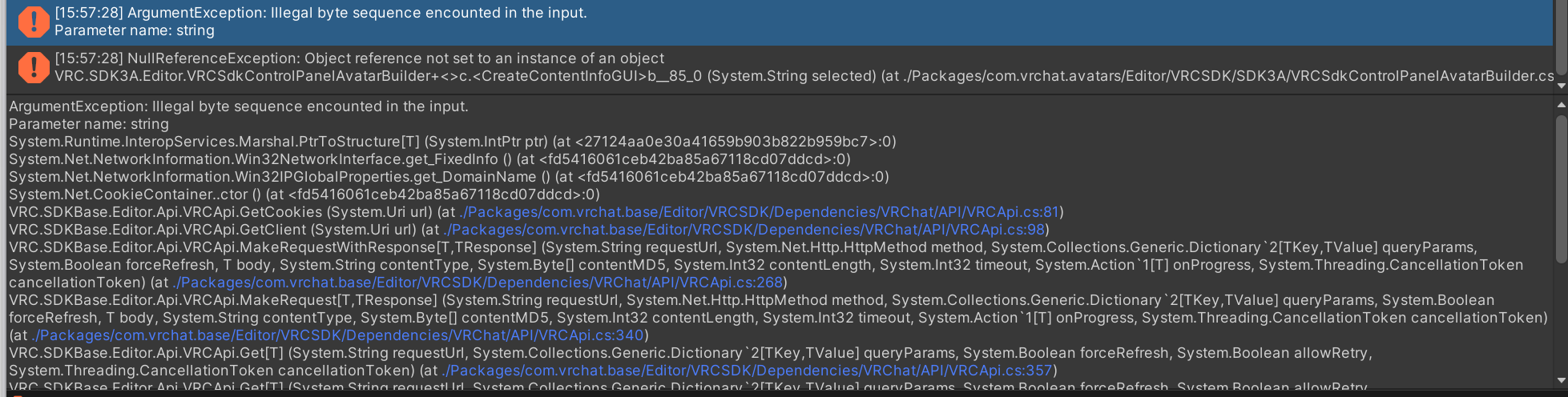

That really look strange. The only thing i have left is that it’s your Unity install that is broken.
Then i’d say try to uninstall unity and install it again ?