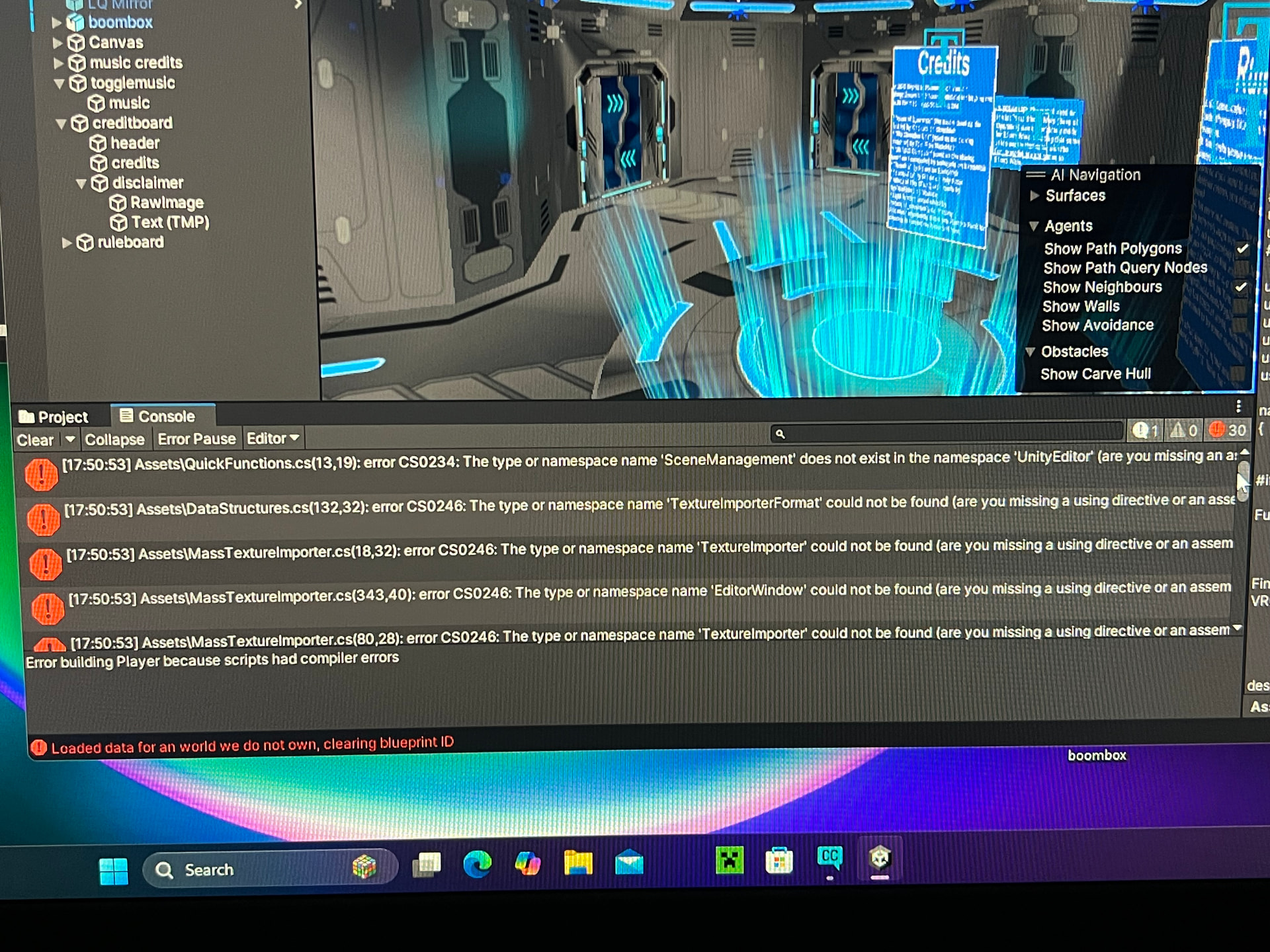
I’m so close to upload my world, but it keeps failing to build! It says to check logs, but I don’t know where those are so I just checked the console instead. I don’t understand what the errors mean and how to fix them.
Some pictures of the errors are shown below. I couldn’t add all of them, unfortunately
You have compiler errors. The errors you’re having are stopping Unity from compiling everything else. The issue is with editor scripts from what i can see.
Looking at your errors, scripts like QuickFunctions.cs, MassTextureImporter.cs, ModelImporterUtil.cs, and DataStructures.cs are trying to use Unity Editor classes (SceneManagement, TextureImporter, ModelImporter, EditorWindow, etc.) but these scripts need to be in a special folder called “Editor” to work properly.
Try this:
Create a folder in your Assets directory called Editor (if it doesn’t exist)
Move all the scripts that are throwing these errors into that Editor folder. Based on your errors, this includes:
QuickFunctions.cs
MassTextureImporter.cs
ModelImporterUtil.cs
DataStructures.cs
Any other scripts giving similar namespace errors
Once moved, Unity should recompile and the errors should disappear
Scripts that use UnityEditor namespaces (editor tools) must be in an Editor folder so Unity knows not to include them in the actual build. Right now Unity is trying to compile them as if they’ll be in your world, which (i assume) causes these errors.
Once you fix those compiler errors and Unity successfully compiles, you should be able to build and upload your world.
When I looked up “Editor” in the assets menu, there were a lot of folders named “Editor.” I’m not sure why. It seems like they all contain different things. Will that cause issues with the compiling?
unity uses the Editor folders to isolate code that only runs inside the Editor. With how VRChat works, where we don’t have Unity Editor compile games that might not matter too much.
Just move the problematic scripts (QuickFunctions.cs, MassTextureImporter.cs, ModelImporterUtil.cs, DataStructures.cs) into any one of those Editor folders. Pick whichever one makes sense to you, or put them all in one together. It really doesn’t matter.