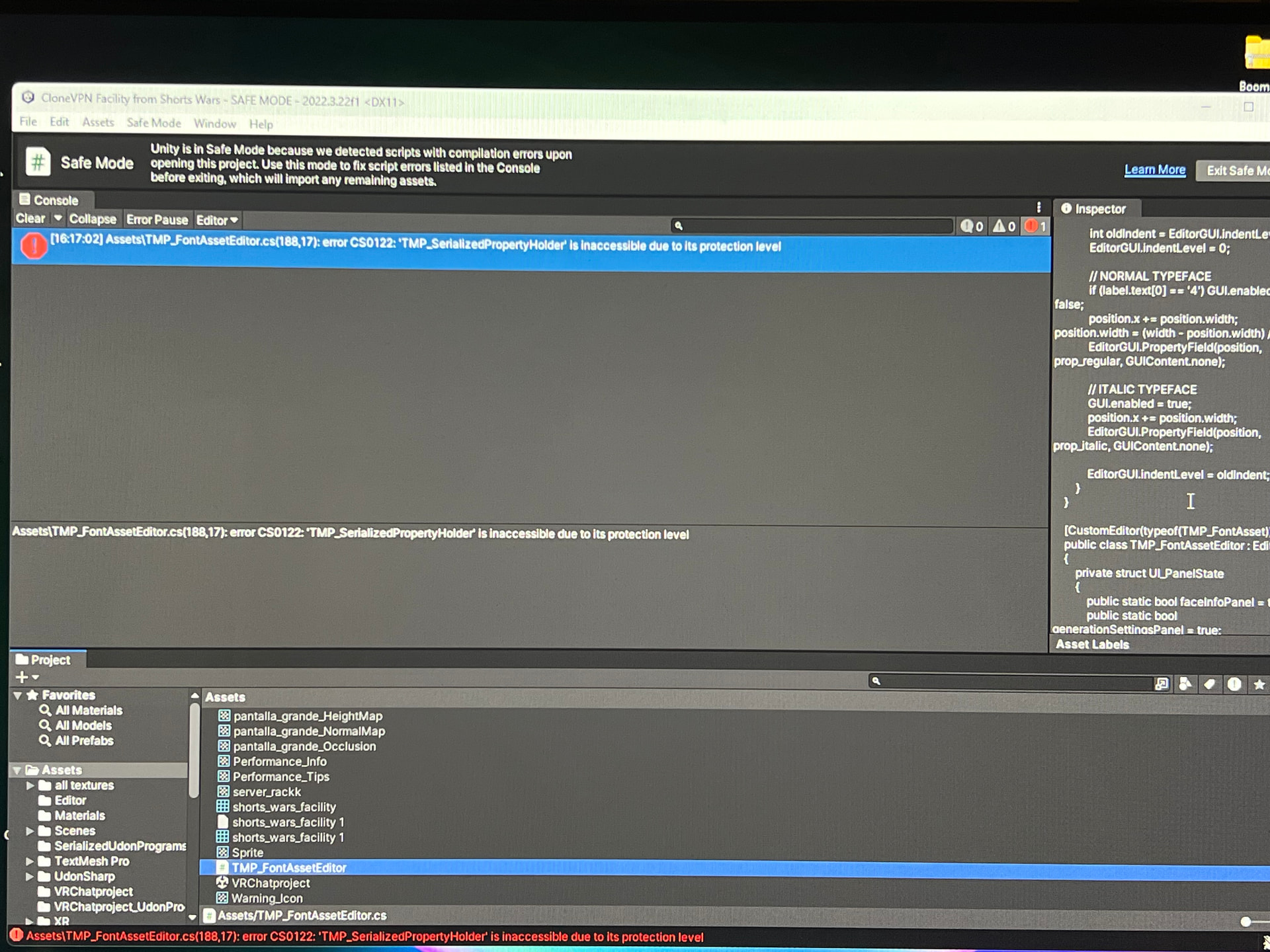
So, um, my project is currently in recovery mode. I’m not sure what happened, but I got a bunch of errors. I’m really close to fixing it. I moved TMP_FontAssetEditor to the assets folder and that seemed to get rid of the 186 errors I had, but there’s just one error left and I don’t know how to get rid of it.
It says TMP_SerializedPropertyHolder is inaccessible. I’m not sure what to do. If I move TMP_SerializedPropertyHolder to the assets folder, more errors pop up in the console. Please help. I don’t want to lose this project!
Use VRChat Creator Companion (VCC) and let it handle packages (strongly recommended)
If you aren’t already: Close Unity → open VCC → remove the project if it’s added → re-add it (or create a new one with the latest template).
VCC automatically installs a compatible TextMesh Pro version + removes conflicting old TMP folders.
This fixes 90%+ of these kinds of errors in 2025–2026 VRChat projects.
Manually update / remove old TMP
In Unity: Window → Package Manager
Search for “TextMesh Pro”
If you see an old version (anything below ~3.0.6), Remove it
Then either:
Re-import the current VRChat SDK (it usually brings a good TMP version)
Or add TextMesh Pro from Unity Registry (com.unity.textmeshpro, latest version)
Delete the folder Assets/TextMesh Pro (the old embedded one) if it still exists after removal — very important.
Re-open the scene/inspector that was erroring → errors usually disappear.
If you really need an old TMP version (rare)
Some very old shaders / prefabs require TMP 1.4.x or 2.0.x.
In that case you must not have the Package Manager TMP installed at the same time.
But this almost always causes more problems now — better to update the assets instead.
Quick & dirty (last resort – not recommended long-term)
Find any script mentioning TMP_SerializedPropertyHolder (Ctrl+Shift+F in Visual Studio / Rider → search solution)
Comment out / remove the lines using it (usually in custom property drawers or editor scripts)
This is only a band-aid — it can break inspector functionality for TMP fields.
After applying fix 1 or 2, do Assets → Reimport All (can take 5–20 min) or at minimum reimport the TextMesh Pro folder / the broken prefab/scene.If the error still persists after trying the above, it helps to know:
Which exact Unity version (2022.3.x?)
Which VRChat SDK version (check VRChat SDK → Show Control Panel)
Whether it’s an avatar or world project
Which prefab/inspector was open when the error spammed
Whenever I try to remove TextMeshpro in the package manager, it refused to be deleted. All I can do is delete the 3.0.9 version. The 3.0.6 version cannot be removed
I messed up. Stupid me decided to delete the TextMeshPro folder from the assets folder thinking it would just reload itself! But it didn’t! Now I can’t get the thing back!