hay so im new to uploading avatars, and ive done some uploading already at this point but ive run into an error that i cant find a solution to.

it says build failed when testing and uploading, im not entirely sure what log its refering to however i check the concole and i find this list of errors:
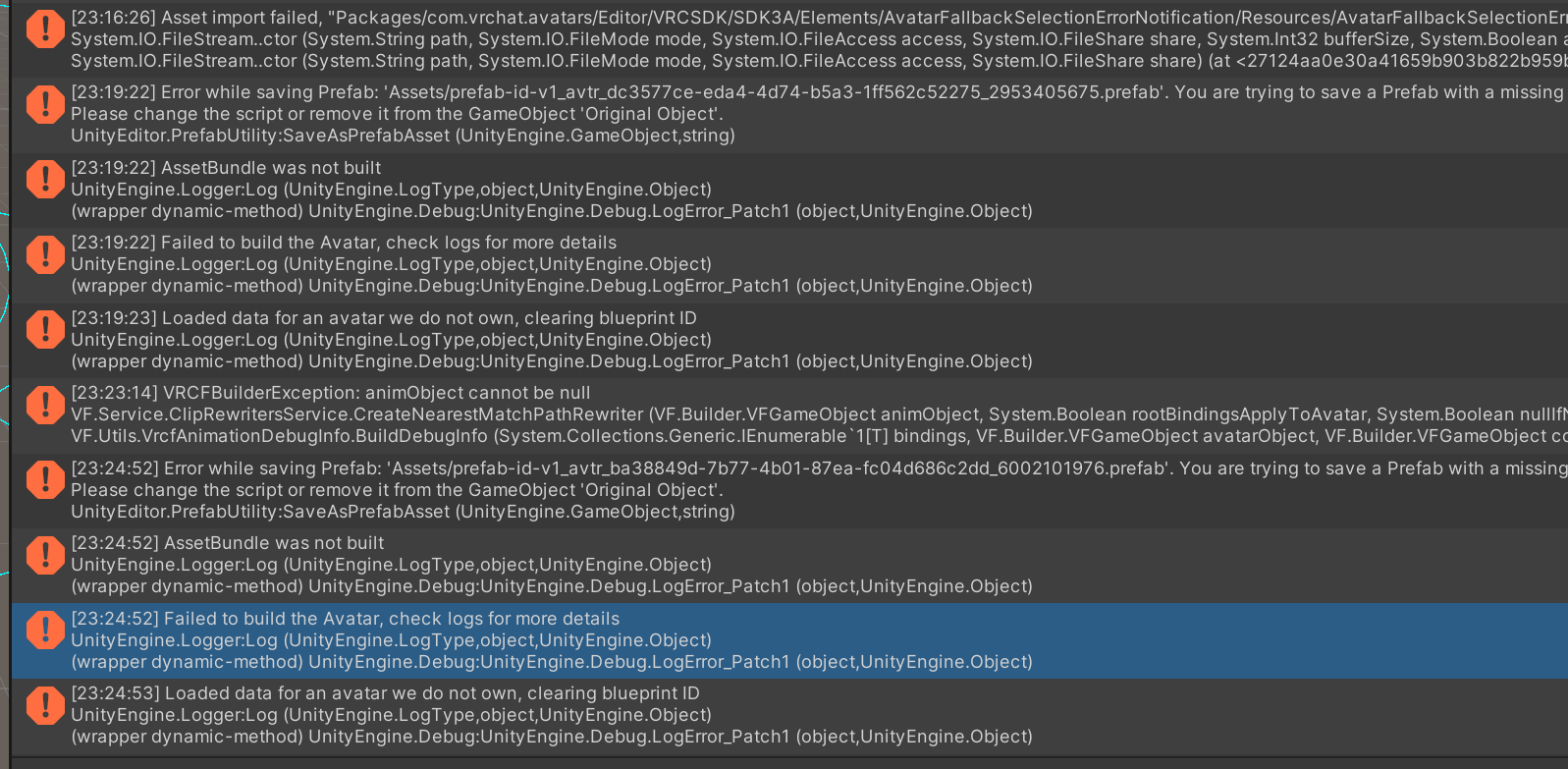

i know theres something im doing wrong and theres probably some asset that i used that is just broken however im not sure what is broken about it.
i did remove the blueprint ID and i did look for the asset prefab_id_v1_… however when looking for the asset i find that there is no asset with that name and im not sure what is wrong with it. finaly i did try and upload the test avitar that the SDK provides witch worked and uploaded just fine so im not sure what or where to start, ive tryed reimporting everything, ive tryed removeing items one at a time, ive tryed to upload the avitar with nothing new from the previously uploaded version and it didnt work aswell.
ill add any info that can help but ive been stuck on this for a while. pls help
