I can try to answer this on behalf of others, from the current Build 1865.
The short answer may be: No* (and I hope not), this not how it works right now (as of Build 1865). Asterisk, because some avatars will be unlisted and it may become more difficult for you to discover filtered avatars you’ve uploaded.
When content is gated from you via content gating settings, filtered avatars will appear in your “Recently Used” and Favorite Avatars but not in “Uploaded”. Your uploaded filtered avatars will also be unlisted from https://vrchat.com/home/avatars and the Content Manager in VRChat Avatars SDK, but you can access them directly by avatar ID (which you most likely know).
If your content gating settings are enabled, you can continue seeing, wearing and switching into content gated avatars you’ve uploaded yourself (including thumbnails) from Recently Used and Favorite Avatars (but not from Uploaded), but if you were wearing a public content gated avatar made by others your avatar will be forcefully changed out of that public avatar locally into “Filtered Avatar” (which appears as the VRChat default Robot avatar in app in “Current Avatar” for yourself locally, but this is a small lie or deceit because you’re actually wearing the public avatar with content warnings according to VRChat Home website).
You will not see the thumbnails of filtered public avatars others have uploaded in app, cannot see the 3D preview of these avatars, and cannot change into these avatars in app. If you try to access a filtered public avatar via the website directly, you can see the thumbnail of the avatar and successfully switch to the avatar from there, but you’ll receive a message in-app: Avatar is not accessible due to your Content Gating settings. and you’ll see yourself locally as a VRChat Robot in app. This message reminder is also repeated on every VRChat app launch.
Below is what the filtering may look like in on/off states for public & private avatars in recently used, including avatars you’ve uploaded yourself in the right winglet. (Click to show blur spoilers.)
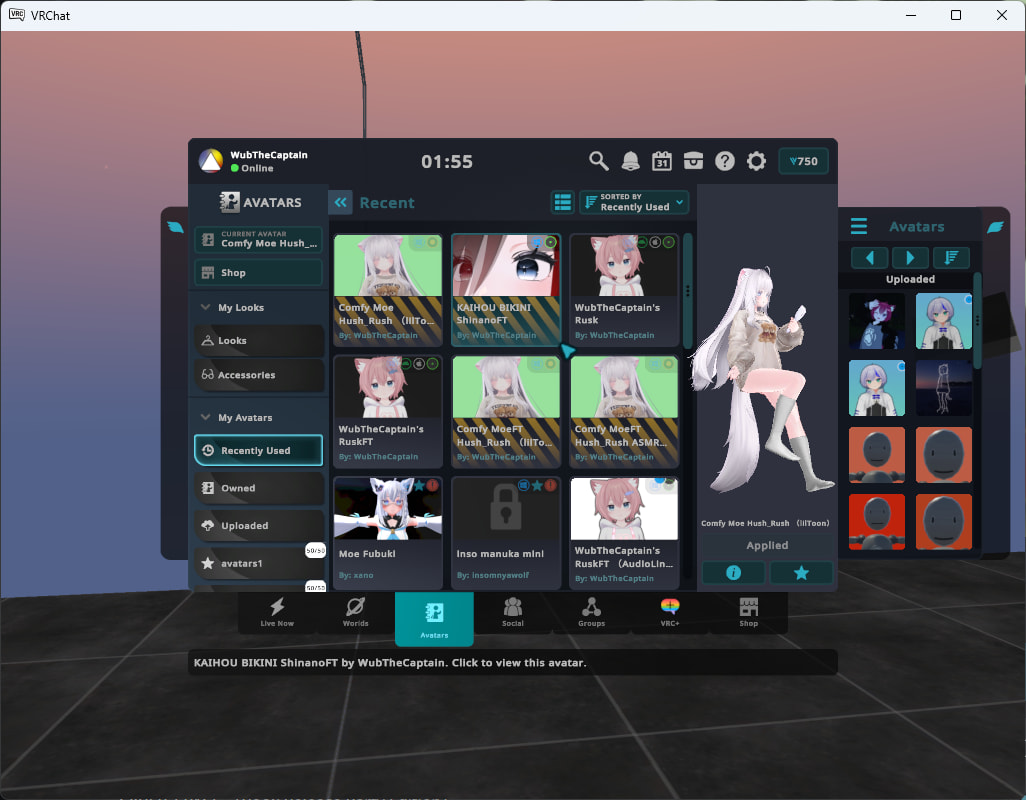
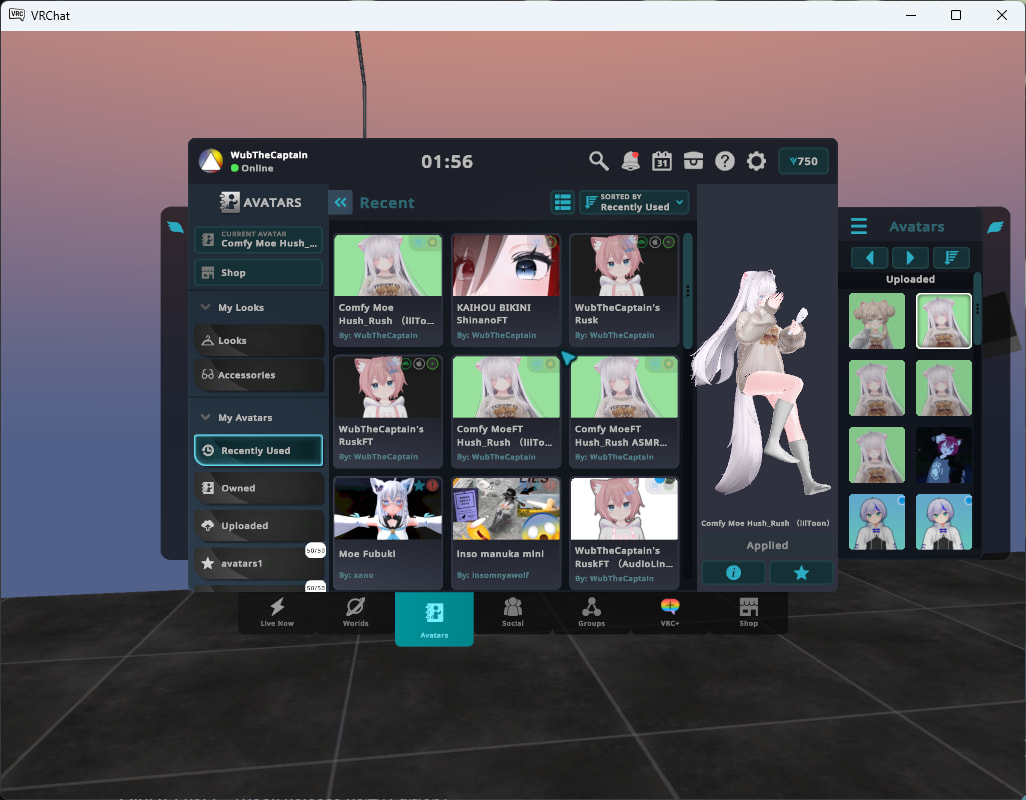
In my opinion, I think this is a good solution because this avoids the need to switch to local SDK test avatars to see the same avatars without content gating, and keeps the incentives to have content appropriately tagged with content warnings for others.
If the developers say so, this may be subject to change, but I’m telling how it’s working right now.
(The ability to see filtered avatars you’ve uploaded yourself with black-yellow warning tapes from Recently Used / Favorite Avatars seems new to me.)